How to pass a swap
Make a swap to exchange a token for another directly from your wallet.
To make a swap:
The swap allows you to exchange one token in another with the desired quantity.A sales transaction and a purchase transaction are created automatically, without you having to enter them manually.
- Go to wallet → advanced → swap.

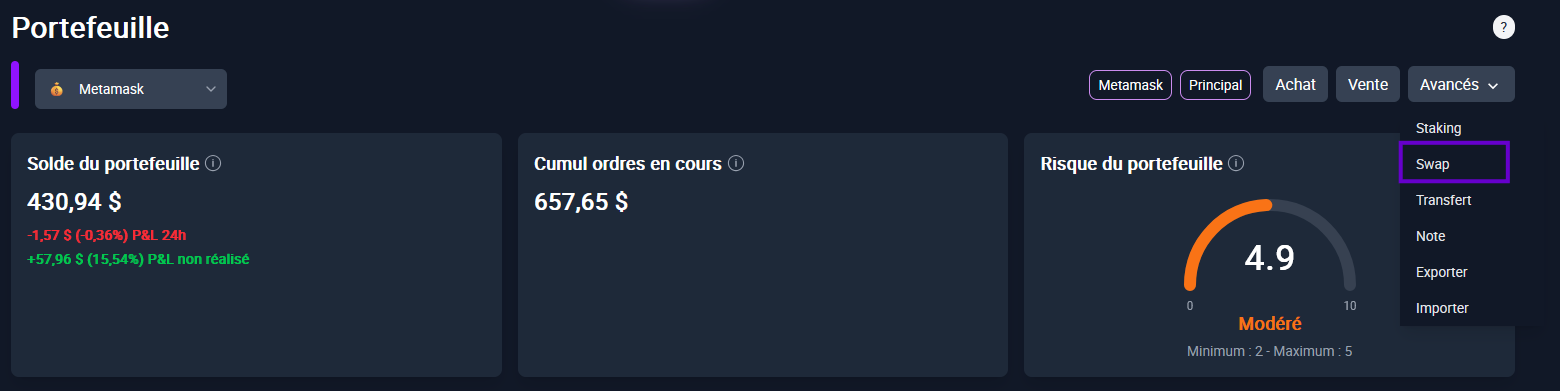
Click Swap:
A form opens.The associated portfolio is automatically filled (modifiable if necessary).
Indicate Date (or click today).
Choose crypto for sale and quantity.
The field Calculated balance displays the amount available in your wallet (if 0 → Impossible swap).
The current price is automatically entered (modifiable).
In the part Purchase:
Select the token you want to acquire in exchange.
The quantity and price are calculated automatically on the basis of the current price (modifiable).

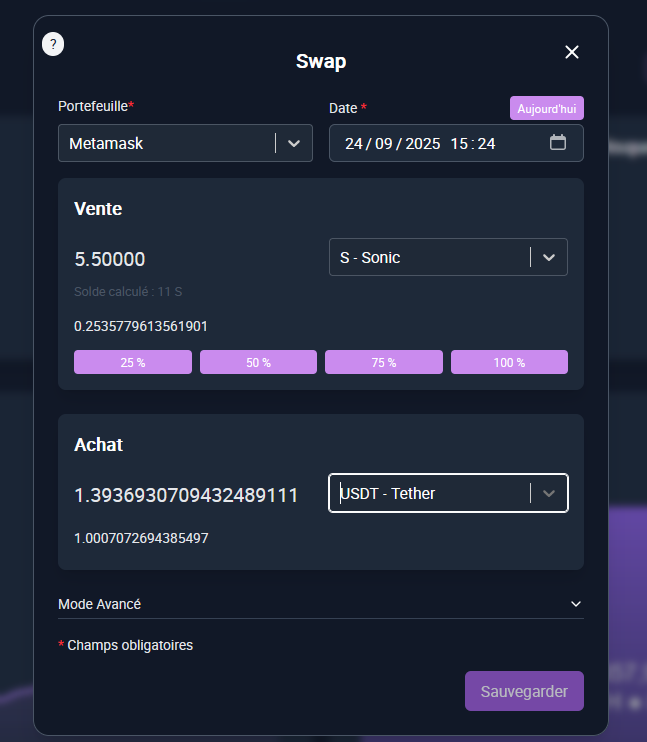
Validate:
- Two transaction lines are created (one sale + one purchase).


💡 The swap saves you time by directly generating your corresponding transactions.